- contact@insightkycai.com
The platform
Everything a KYC case needs, in one place
From the application to the decision record and on to monitoring. Each capability below is in the product today, shown on the demo bank’s data.
Cases
One case for every reason to look at a customer
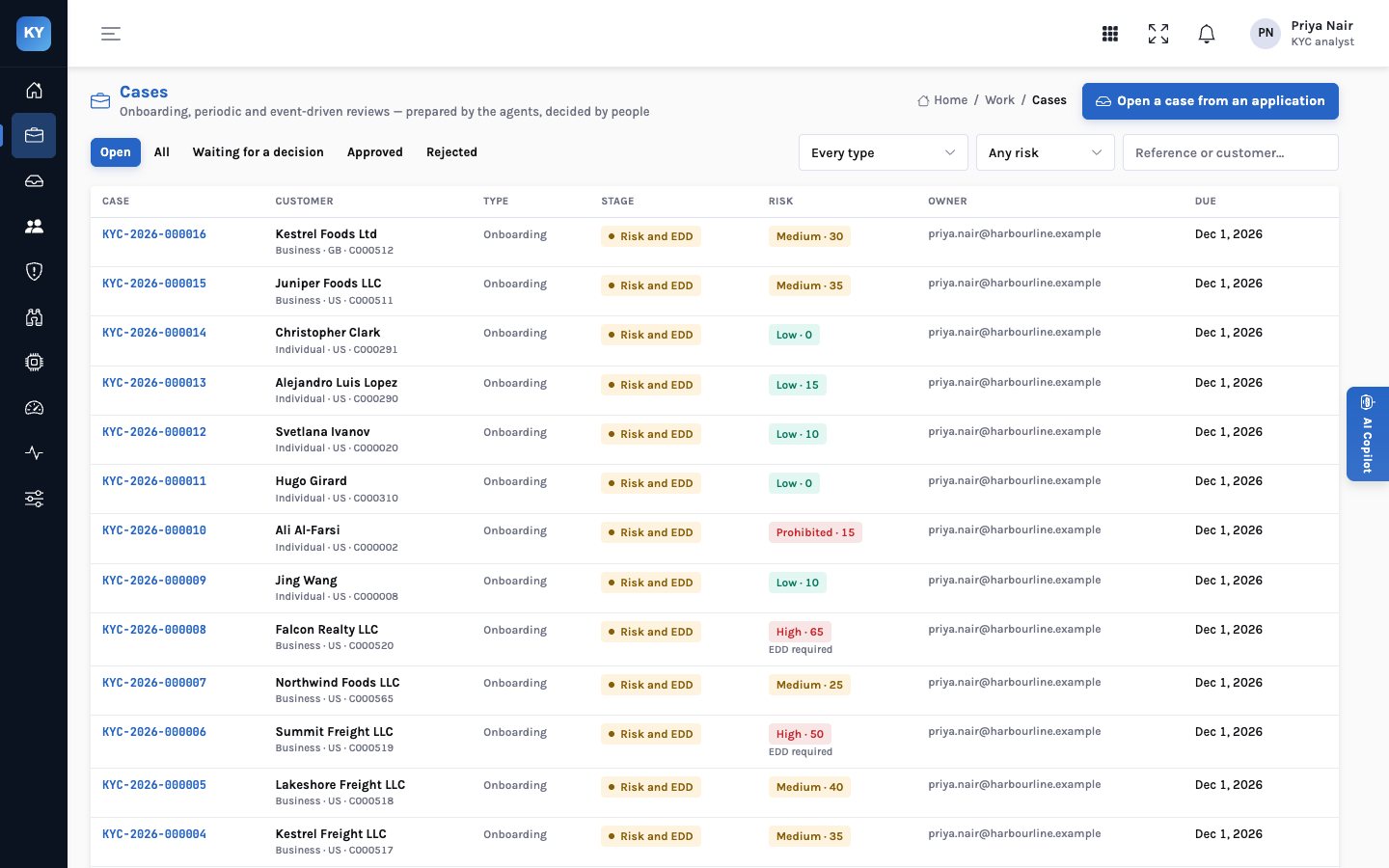
Onboarding opens from an application. A periodic review opens from the customer book when it falls due. An event-driven review opens from a monitoring alert. Each case moves through the same stages, and the case page shows what still stands between it and a decision.
- Three case types — onboarding, periodic review and event-driven review, each with its trigger on the case
- Stages — intake, verification, screening, risk and EDD, decision
- What blocks a decision — the case controls, in plain sentences, at the top of the case
- Owner and due date — every case has an owner, a due date and an overdue flag in the queue
Documents
Every field quoted from the line it came from
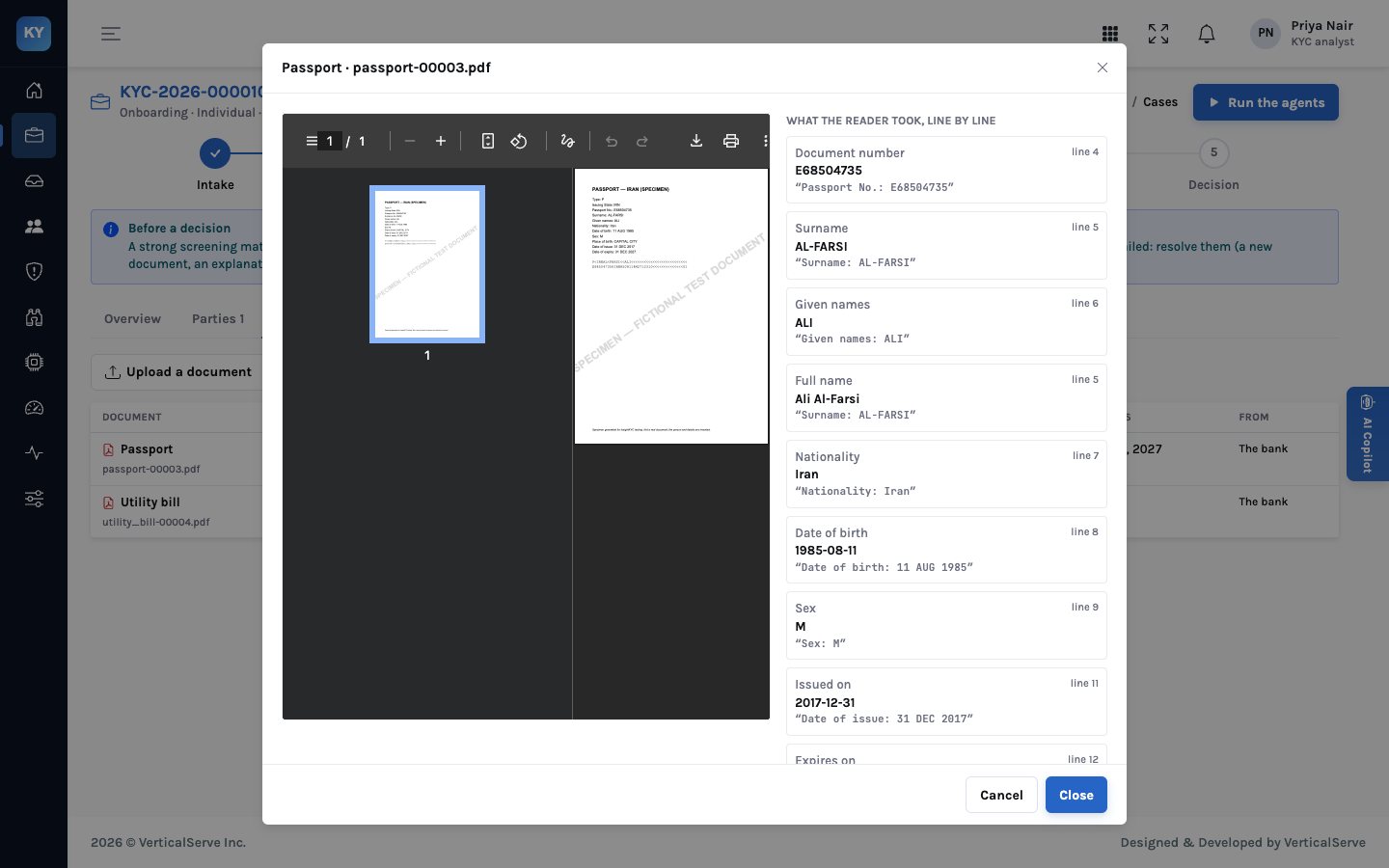
The document reader turns a passport, driver’s licence, utility bill, bank statement, certificate of incorporation or register of members into fields. Each field keeps the line number and the exact text it was read from, shown beside the PDF. If a field can’t be read, the reader says so instead of guessing.
- Identity — passports with the machine-readable zone parsed, and driver’s licences
- Address — utility bills and bank statements, with the statement date
- Company — certificates of incorporation and registers of members with each holder’s percentage
- Uploads — from an analyst or from the customer’s own request link, read on arrival
Verification checks
Checks that cite their evidence
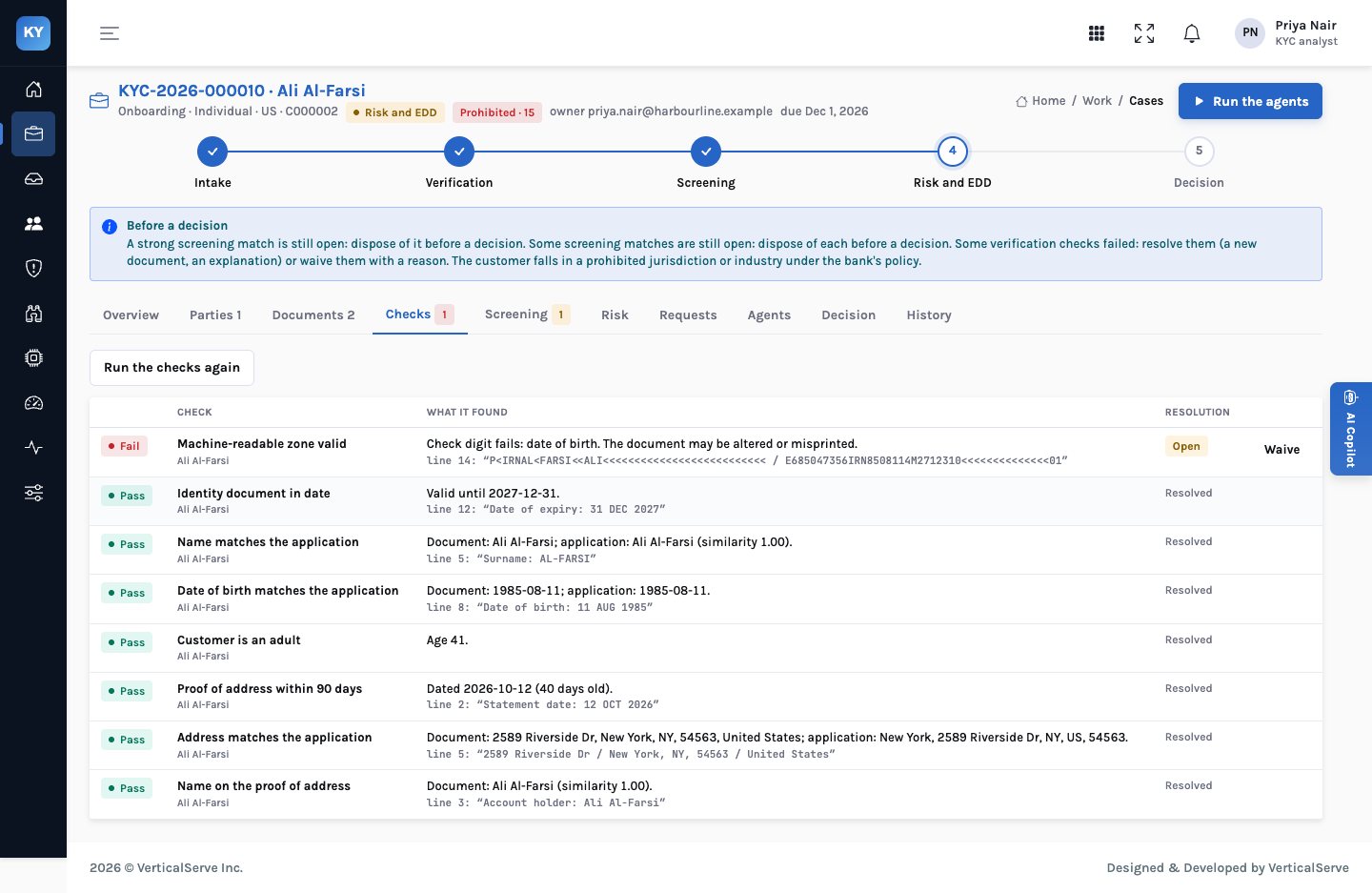
Verification compares what the documents say with what the customer declared. A failed check quotes the lines it rests on, stays open until it is resolved, and can only be waived by a person who writes down why.
- Identity — an ID on file, in date, with the same name and date of birth as the application; the customer is an adult
- MRZ — passport check digits recalculated with the ICAO 9303 method; a failure is flagged
- Address — a proof of address within 90 days, in the customer’s name, at the declared address
- Company — found in the registry, active, matching its certificate, and owners and officers as declared
Beneficial ownership
Owners found through the registry, not just the form
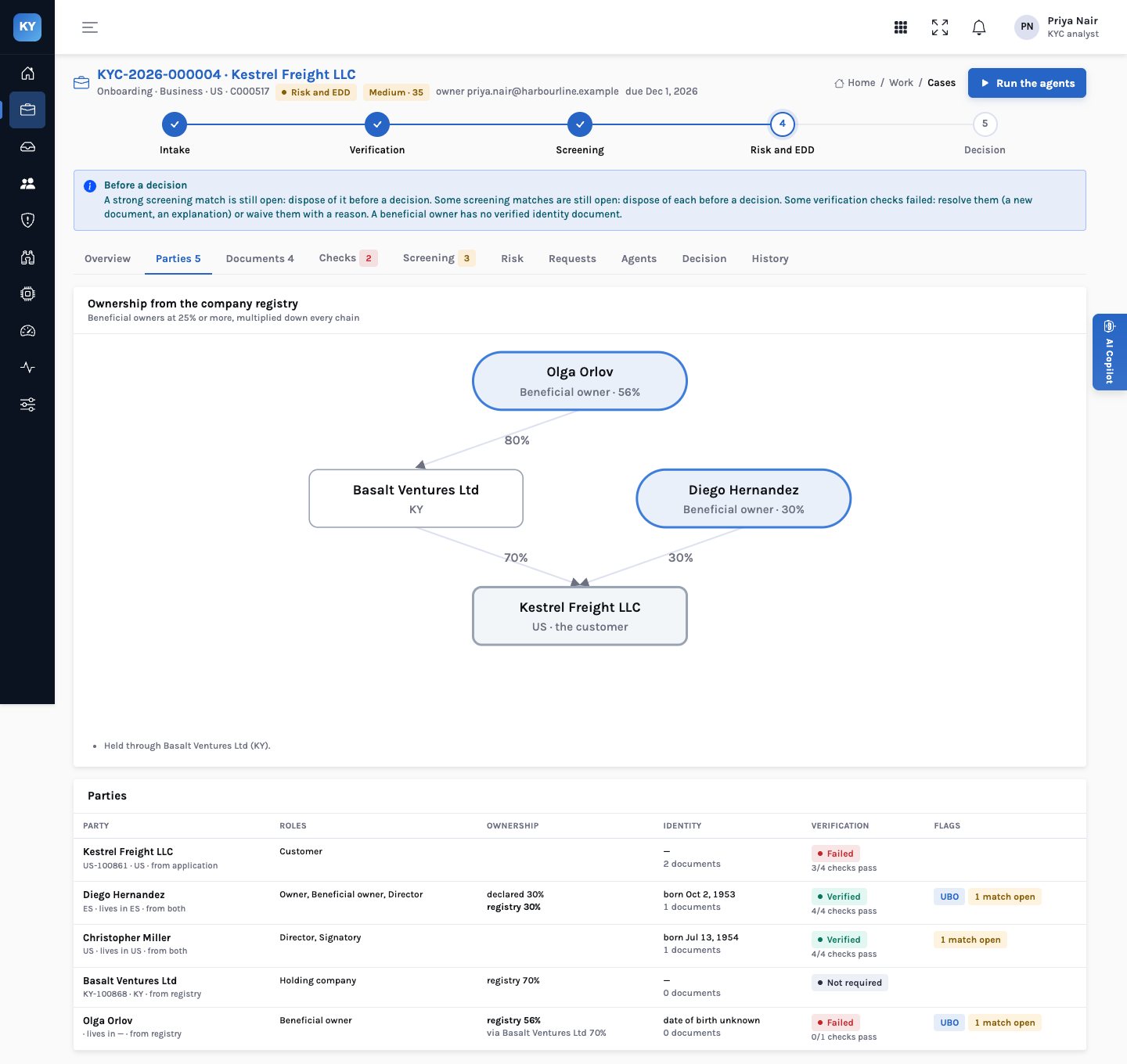
The ownership agent walks the company registry from the customer down every chain of shareholders, multiplying percentages as it goes. Anyone at or above the threshold is a beneficial owner. Holding companies and directors join the case as parties, and anything the application left out becomes a check.
- Effective ownership — 80% of a company that owns 70% is 56%, worked out for every chain
- Threshold — 25% by default, set to your policy
- Control — when nobody reaches the threshold, directors are listed as the people with control
- Differences — an undisclosed owner or officer, or a declared percentage that differs from the registry
Screening
Sanctions, PEP and adverse media, with the reason for every score
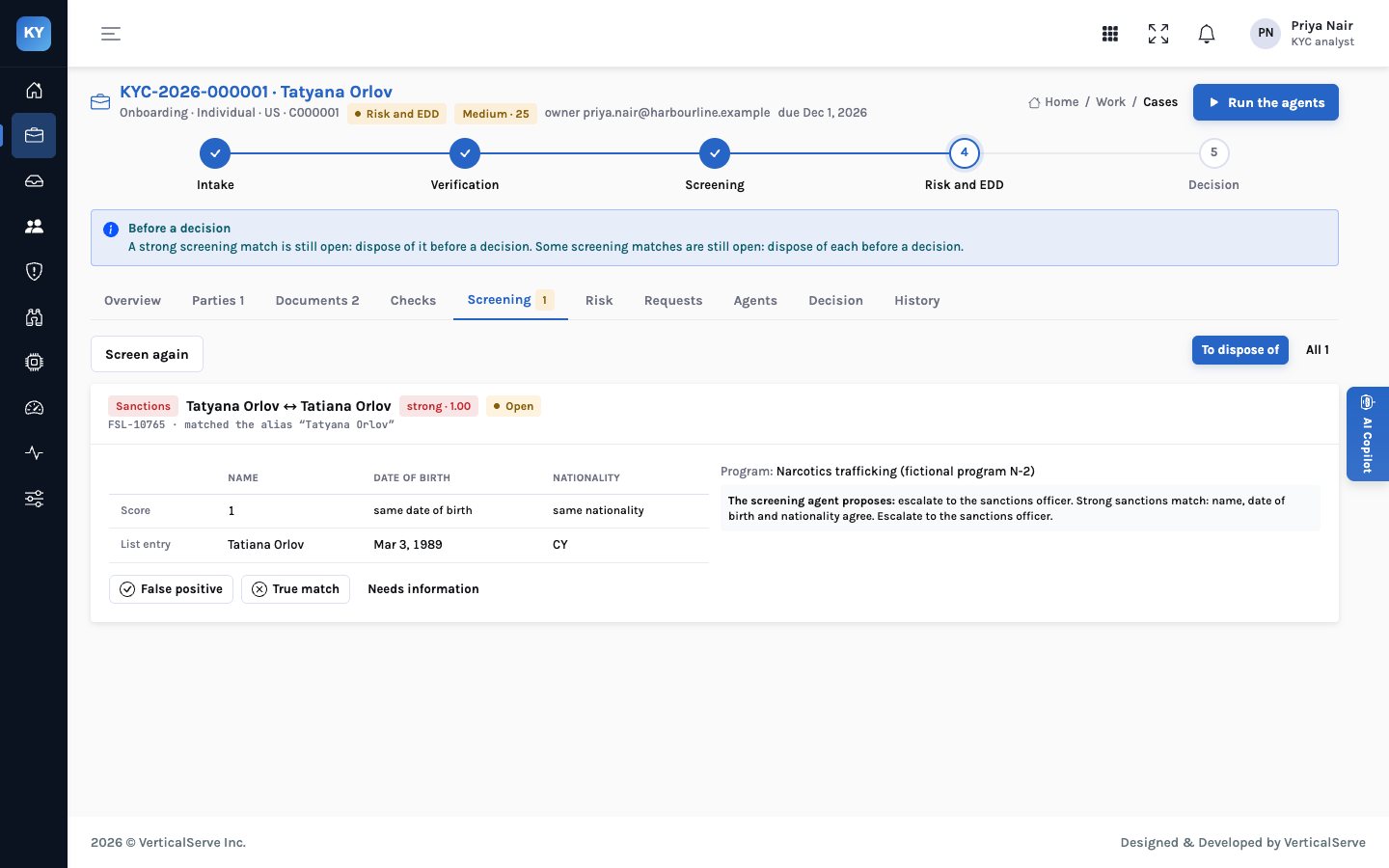
Every party is screened: the customer, its owners, its directors and its holding companies. Each possible match shows the name score, whether the date of birth and nationality agree, the list entry beside it, and what the screening agent proposes. A person disposes of each one with a reason.
- Explainable scoring — name similarity, with surnames that must agree, then date of birth and nationality compared separately
- Aliases — a match on an alias says which one
- Proposals, not clearances — the agent proposes false positive, true match or needs information; it can’t clear a strong sanctions match
- Your lists — sanctions, PEP and adverse-media sources the bank licenses; the demo uses invented ones
Risk and enhanced due diligence
A rating with a reason for every point
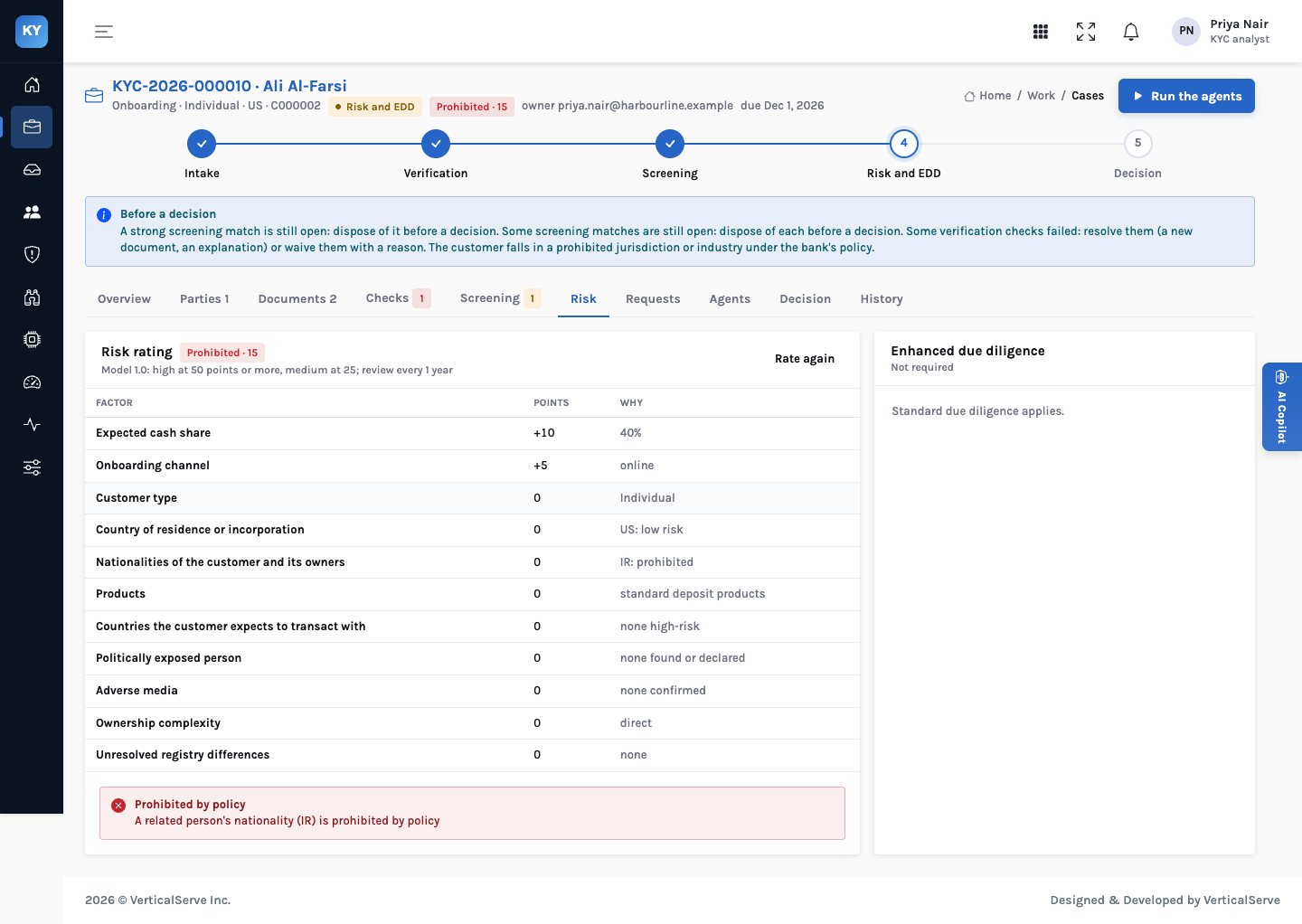
The risk model adds points for country, PEP status, nationalities, expected countries, customer type, products, channel, cash share, adverse media, ownership complexity and unresolved registry differences. Prohibited jurisdictions and industries stop the case. High risk and PEPs need enhanced due diligence before approval.
- Points you set — every factor and threshold is your policy; the demo’s are illustrative
- Review cycle — the rating sets the next review: one, two or three years by default
- EDD — source of funds and source of wealth, requested by the EDD agent and recorded by the analyst
- Override — a lead can change the rating, with a reason that goes on the decision record
Requests to the customer
Ask once, clearly, and read the answer when it arrives
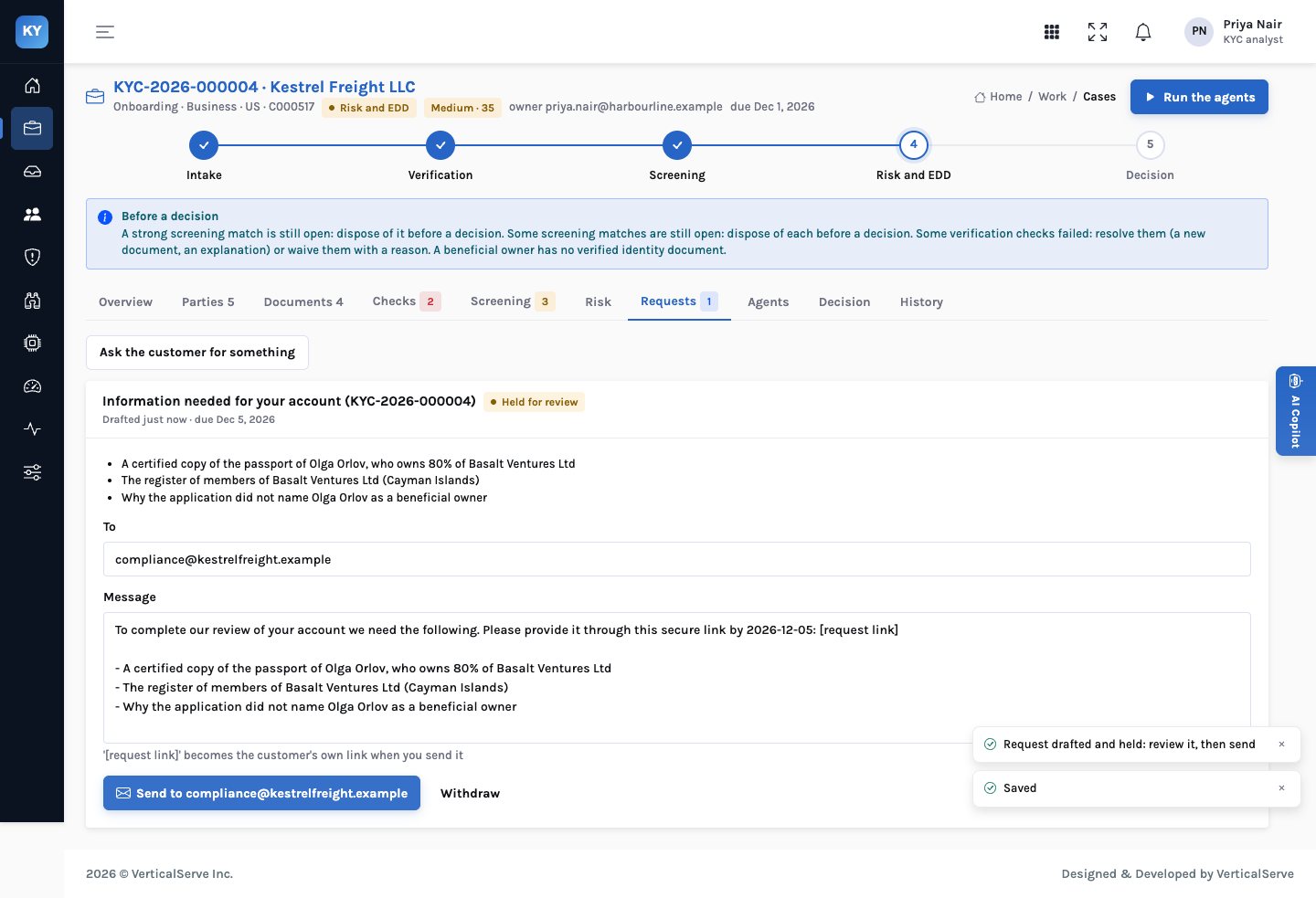
Agents draft requests when something is missing; an analyst can write one too. Requests are held until a person sends them. The customer answers through a link with no login, and uploads are read and checked straight away.
- Held for review — the message and recipient are editable until someone sends it
- A link per request — shown once to the sender; InsightKYC keeps a fingerprint, not the link
- Withdraw — a withdrawn request’s link stops working
- Answers on the case — questions answered in text, documents read into fields, checks re-run
Decision
Four eyes, enforced, and a record that doesn’t change afterwards
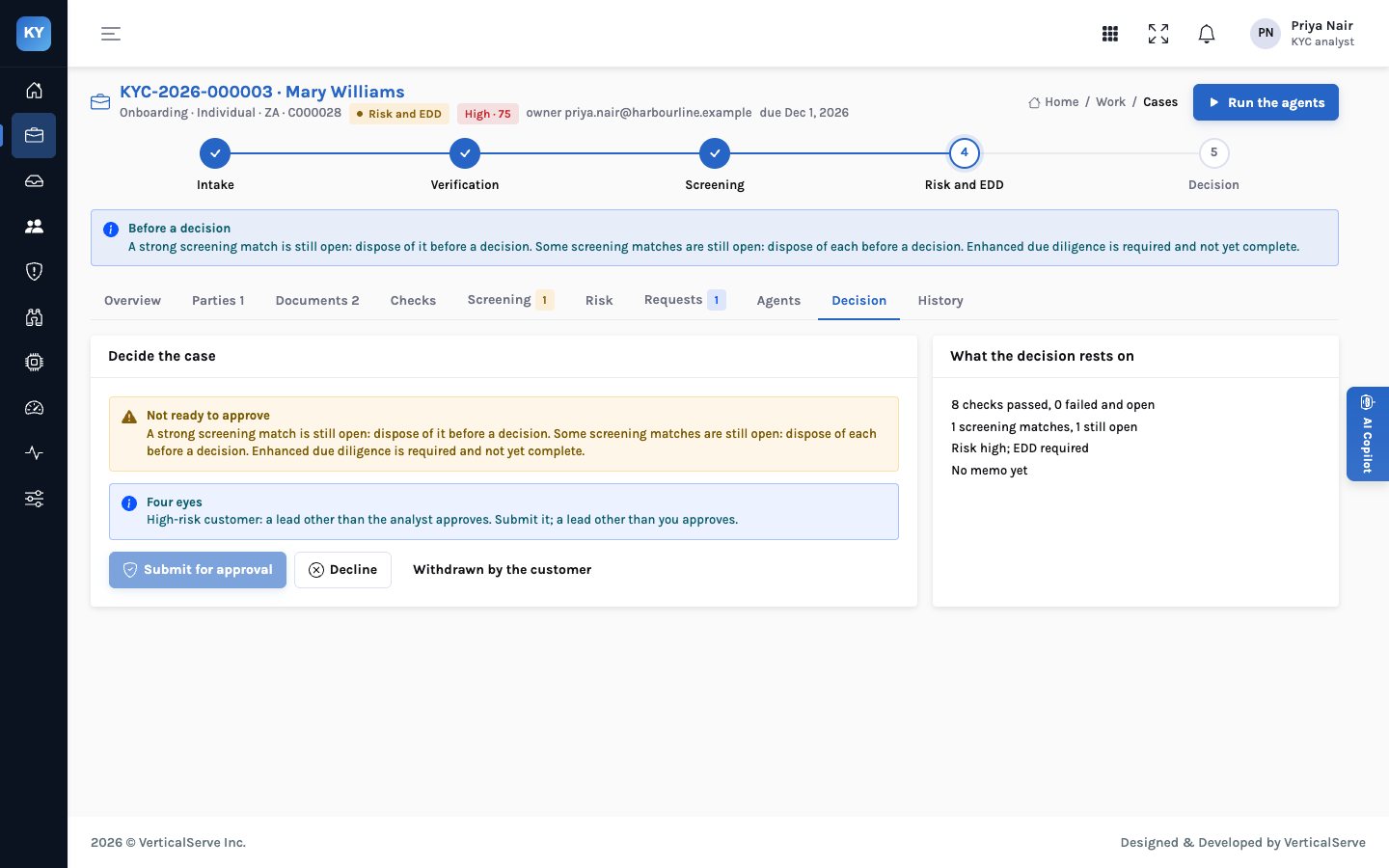
Case controls from Rules Studio decide what blocks a decision and what needs a second person. A high-risk or PEP case is submitted by one person and approved by a lead who didn’t submit it. The decision record keeps every control’s outcome, the risk assessment and each screening disposition as they stood.
- Block — a confirmed sanctions match, open strong matches, failed checks, an unverified owner, EDD open, a prohibited rating
- Refer — high risk and PEPs go to a second person
- Decline needs a reason — and withdrawn-by-customer is its own outcome
- Next review — set from the rating when the case is approved
Ongoing monitoring
Transactions read against what the customer said they would do
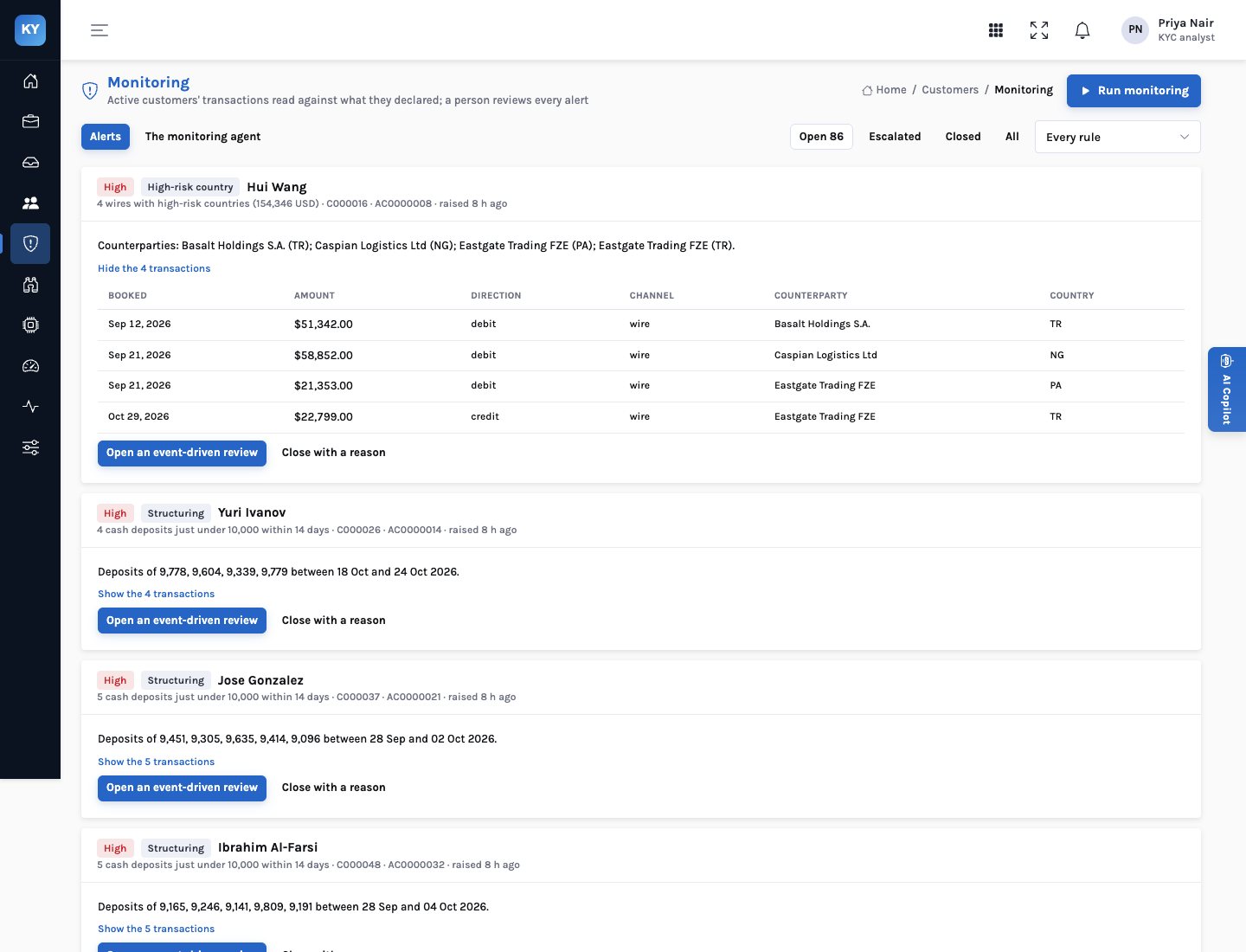
The monitoring agent reads every active customer’s transactions against their declared profile. Each alert carries the transactions behind it. An analyst closes it with a reason or opens an event-driven review, which starts a case with the alert as its trigger.
- Structuring — cash deposits just under the reporting threshold within a short window
- High-risk countries — wires to or from countries the policy rates high
- Above profile — monthly credits well above the declared amount
- Dormant and new countries — a quiet account waking up, or a country the customer never mentioned
The customer book
Reviews scheduled by risk, not by calendar
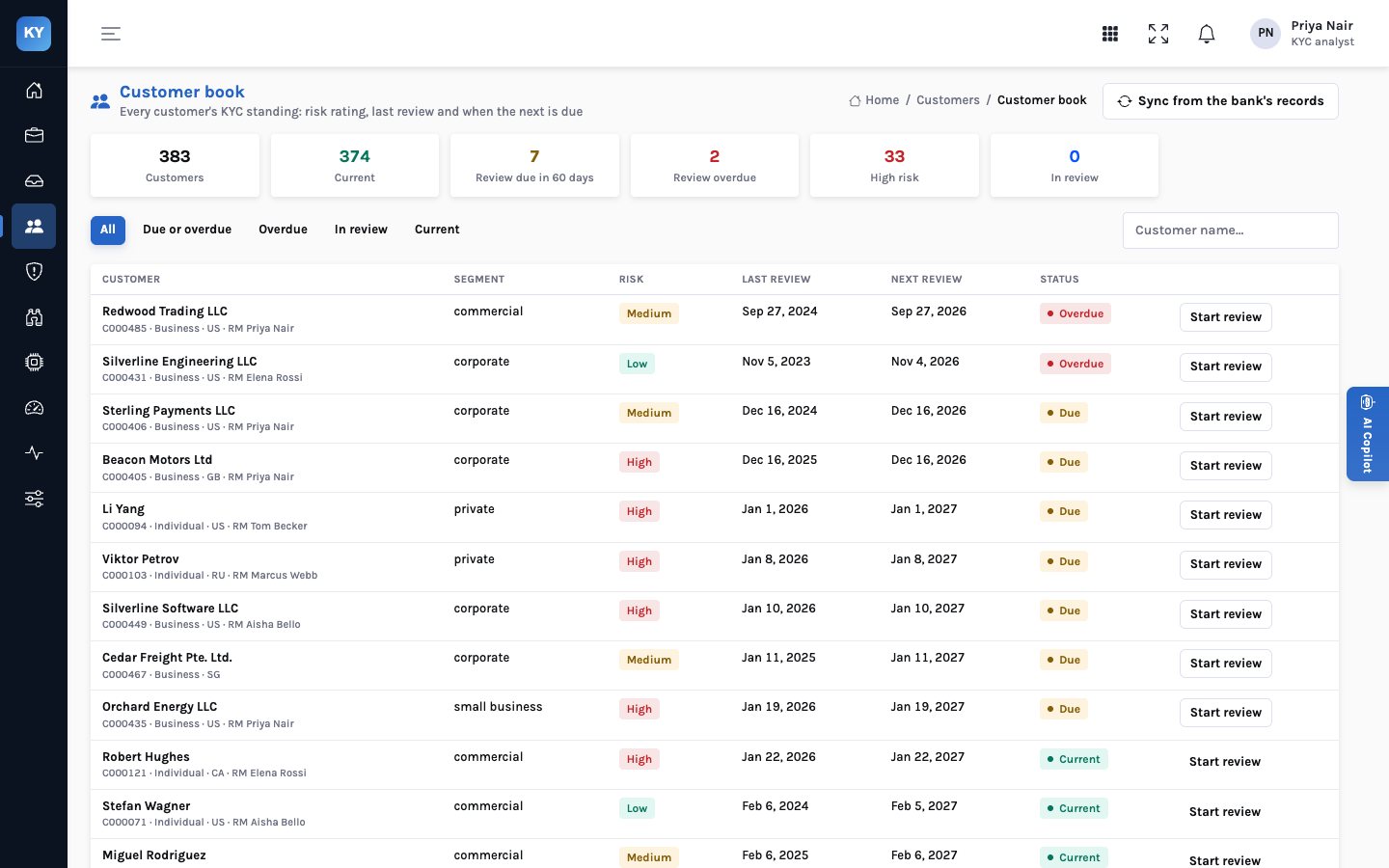
The book holds every customer’s rating, last review and next review. It shows who is current, due in 60 days and overdue, and starts a periodic review case in one step.
- By rating — high risk every year, medium every two, low every three, by default
- Synced — from the bank’s customer records
- One step — “Start review” opens a periodic review case with the customer’s current data
- Status — current, due, overdue and in review
Rules Studio
Your policy, as rules you can read, test and publish
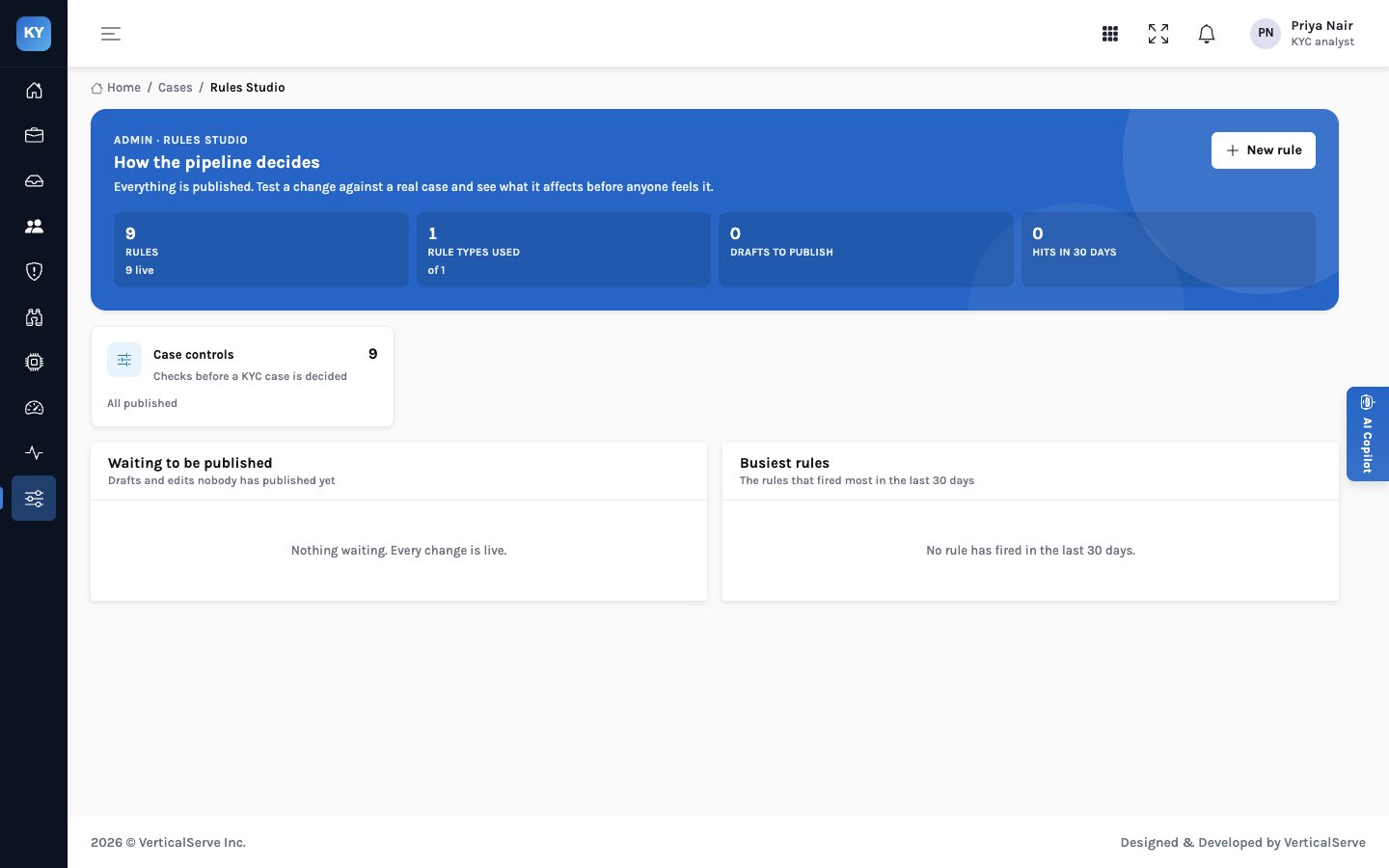
The case controls are rules in Rules Studio, not code. Compliance can see exactly what blocks a decision and what refers it, try a change against a real case, and publish it with a record of who changed what.
- Nine controls — seven that block a decision, two that refer it to a second person
- Test first — see what a change would have done to a real case before anyone feels it
- Drafts and publishing — changes wait as drafts until published
- On the decision record — each control’s outcome is kept with the decision
Copilot
Ask about the case in front of you
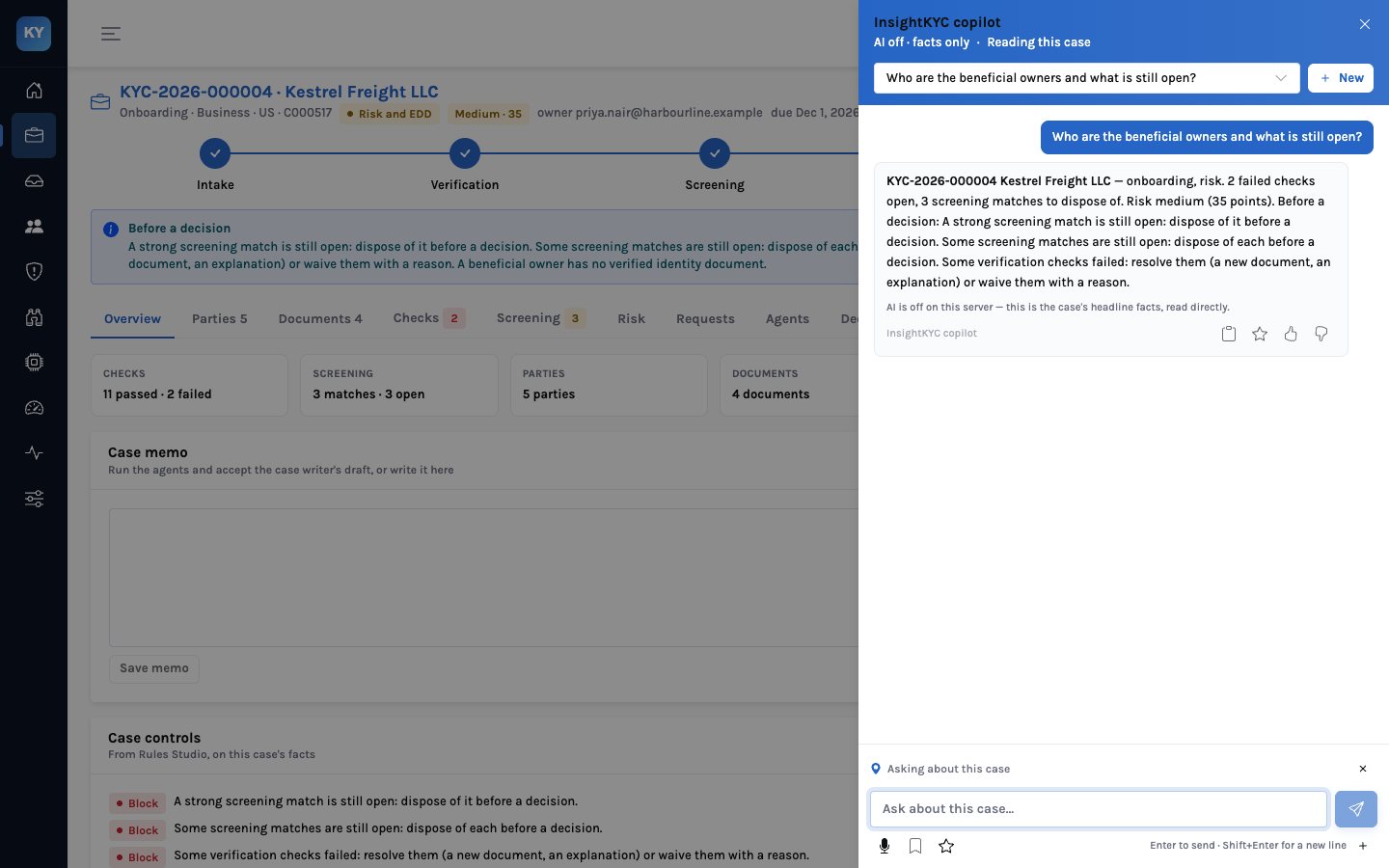
The copilot answers questions about the open case with read-only tools: the summary, the parties, documents, checks, screening matches, the risk assessment, the ownership tree, what the agents did, and a search of the lists. It reads; it doesn’t change anything.
- Grounded — answers come from the case’s own facts
- Read-only — no tool changes a case
- Model optional — with the model off it answers from the facts directly, and says so
- Lists — search the sanctions, PEP and media lists by name